
In the world of gaming, having the right hardware can make all the difference. For many enthusiasts, building a custom gaming PC is not just a hobby; it’s a passion. This guide aims to help you navigate through the essential components, considerations, and steps to build a powerful gaming rig that suits your needs.
Understanding Your Needs
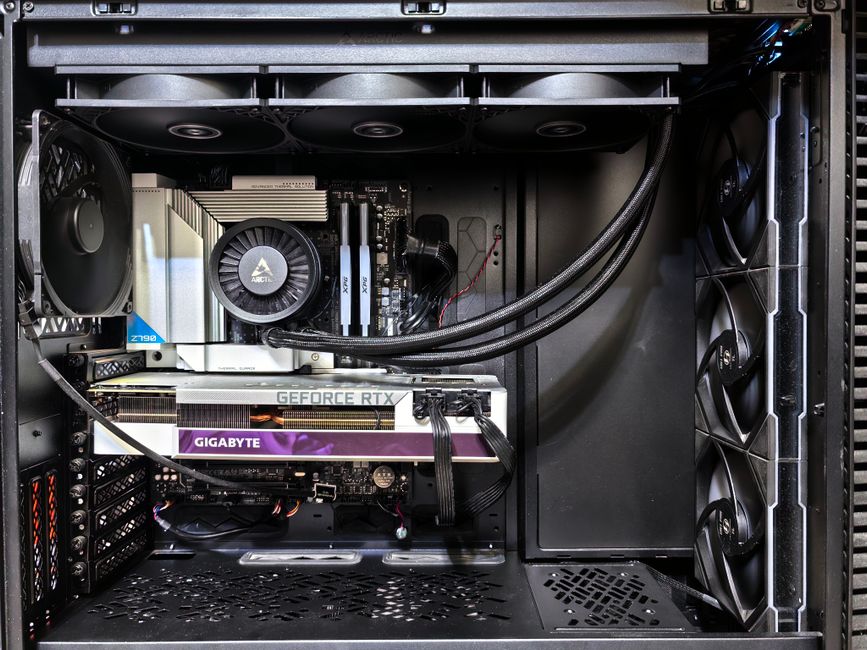
Before diving into the components, it’s crucial to understand what you need from your gaming PC. Are you a casual gamer, or do you play demanding AAA titles? Understanding your gaming habits will help you determine what specifications are necessary. For instance, if you’re into competitive gaming, a higher refresh rate monitor and a powerful GPU will be essential.
Additionally, consider the games you plan to play. Titles like Cyberpunk 2077 require more powerful hardware compared to indie games. Researching the recommended specifications for these games can help you choose the right components.
Budget is another key factor. Building a gaming PC can range from a few hundred to several thousand dollars. Setting a clear budget will streamline your selection process and help you avoid overspending on unnecessary components.
Choosing the Right Components
Once you have a clear understanding of your needs, it’s time to select the components. The major components include the CPU, GPU, motherboard, RAM, storage, and power supply.
The CPU (Central Processing Unit) is often referred to as the brain of the PC. For gaming, a quad-core processor is generally recommended, with brands like Intel and AMD offering solid options. For example, the Intel Core i7-11700K and AMD Ryzen 7 5800X are both excellent choices for gaming.
The GPU (Graphics Processing Unit) is arguably the most critical component for gaming performance. High-end GPUs from NVIDIA and AMD can significantly enhance your gaming experience. If you’re targeting high resolutions or VR gaming, investing in a powerful GPU is essential.
Don’t forget about RAM; 16GB is generally the sweet spot for gaming today, with 32GB being ideal for multitasking or content creation. Storage is equally important, with SSDs providing faster load times than traditional HDDs, making them highly recommended for gaming.
Building Your PC Step-by-Step
With your components in hand, it’s time to start building. First, prepare your workspace. A clean, static-free environment is ideal. Gather your tools, which typically include a screwdriver and zip ties for cable management.
The first step is to install the CPU onto the motherboard. Follow the manufacturer’s instructions to ensure proper placement. Next, install the RAM. Most motherboards have color-coded slots to indicate optimal installation.
After the CPU and RAM are installed, you can mount the motherboard into the case. Ensure that all screws are tightened securely. Following this, install the power supply and connect it to the motherboard and components. Finally, install the GPU, ensuring it is firmly seated in the PCIe slot.
Once everything is connected, close up the case and connect your peripherals. It’s now time to power it on and enter the BIOS to configure settings before installing your operating system and games.
Testing and Optimization
After building your gaming PC, testing its performance is crucial. Use benchmarking tools to assess your system’s capabilities and ensure everything is functioning correctly. Monitor temperatures to avoid overheating, particularly during intensive gaming sessions.
Optimization is also key. Adjusting in-game settings and ensuring your drivers are up to date can significantly enhance performance. Consider overclocking your CPU and GPU for additional performance gains, but be cautious and ensure adequate cooling solutions are in place if you choose this route.
Future-Proofing Your Build
As technology advances, it’s essential to consider future-proofing your gaming PC. Choosing components that can be easily upgraded, such as a motherboard with multiple RAM slots, will allow you to enhance your system without a complete overhaul.
Regularly check for new hardware releases and stay informed about gaming trends. This will help you anticipate future needs and make informed decisions when upgrading components. Additionally, using a reliable gaming PC builder can streamline the process and ensure compatibility between components.
In conclusion, building your dream gaming PC is a rewarding experience that allows you to customize your gaming setup to your specifications. Whether you are a casual gamer or a hardcore enthusiast, understanding your needs, selecting the right components, and following a structured building process will lead to a successful build. For those looking for a comprehensive resource, consider checking out a gaming PC builder to assist in your journey.
Conclusion
Building a gaming PC can be an exciting and fulfilling project. With the right knowledge and preparation, anyone can create a powerful system tailored to their gaming preferences. Remember to research your components, follow best practices during your build, and continuously monitor and upgrade your system as needed. Happy gaming!